Pro headshots without a photographer: how to generate your own with AI
5 min read
Written and edited by Jeremy with AI-assisted research and drafting.
- ChatGPT
- Gemini
- Image Gen
- Headshots
- Personal Brand
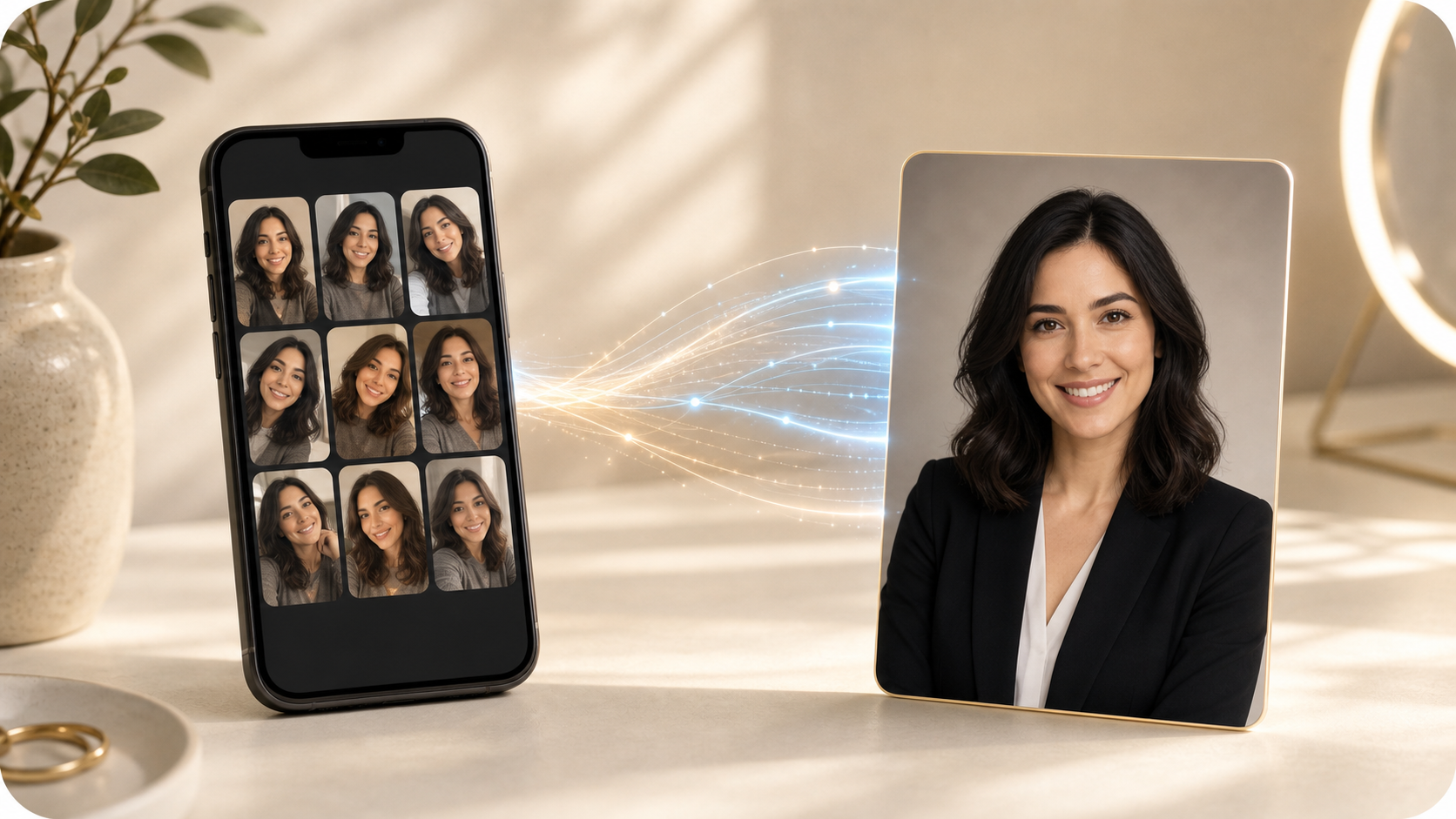
A good headshot used to mean booking a photographer, sitting for an hour of awkward smiling, and paying a few hundred dollars for a handful of edited shots. Today, the image models inside ChatGPT, Gemini, and a few specialized tools are good enough that you can generate your own — from selfies you already have on your phone.
What "AI headshots" actually means now
You give the model 5–15 clear photos of yourself from different angles and in different lighting. It learns what you look like. Then you describe the kind of portrait you want — outfit, background, lighting, mood — and it generates new images of you in that setting. The good ones are genuinely indistinguishable from a real photo shoot.
The simplest path (no extra app needed)
- Open ChatGPT (with image generation) or Gemini in the browser.
- Upload 5–10 clear photos of yourself — varied angles, decent lighting, no sunglasses or hats.
- Ask: "Using these photos as reference, generate a professional headshot of me in a navy blazer, soft natural light, neutral studio background, shallow depth of field."
- Iterate. "Same person, same outfit, but outdoors at golden hour." "More smile." "Tighter crop."
- Pick your favorites. Download. Done.
For small business owners and teams
This is also how you finally get a consistent "About" page. Every team member follows the same prompt — same lighting style, same background, same crop — and your team grid stops looking like a collage of mismatched selfies. New hire? Five minutes, not a rescheduled studio day.
Prompting tips that actually matter
- Be specific about lighting ("soft natural window light", "overcast outdoor", "studio softbox") — it's the biggest driver of "looks real" vs. "looks AI".
- Name the lens or framing ("85mm portrait, shallow depth of field, head-and-shoulders crop").
- Describe the background in plain English ("clean off-white studio backdrop", "blurred bookshelf", "exterior brick wall").
- If a feature drifts (your jaw, your glasses), re-upload a clear reference and say "match this face exactly".
A few honest caveats
- Be upfront if asked. For most professional contexts nobody cares, but don't pass an AI image off as a documentary photo.
- Hands, jewelry, and complex logos on clothing are still the weak spots. Crop accordingly.
- Skip random "AI headshot" apps that ask for your photos and a subscription. The tools you already pay for do this now.
For the cost of an afternoon and zero new accounts, you can have a headshot you actually like — and re-shoot it any time your look changes.
Want help putting this to work?
A free conversation is the easiest way to figure out what would actually move the needle for you.
Get in touchKeep reading
- Small BusinessHow to build a useful business dashboard with Claude—and check its numbers
- IndividualsHow to build an interview practice routine with ChatGPT Voice
- Small BusinessHow to set up an AI blog publishing system with ChatGPT Work and Lovable
- IndividualsMeta Muse is an AI that can actually do things for you: 5 practical ways to use it
- Small BusinessJev is an AI that makes decisions instead of chatting: 5 small-business uses
- IndividualsUse AI to build confidence: learn anything at your level, in your own time
- Small BusinessChatGPT vs. ChatGPT Work: what's actually different, and when to use each
- IndividualsChatGPT as your financial advisor: connect every account and get answers in seconds
- StudentsNotebookLM for students: turn your notes into a podcast you can study to anywhere
- IndividualsCustom GPTs for real life: your own gardening, parenting, and tax expert in ChatGPT
- Small BusinessStop renting software: build your own business apps with Lovable, Replit, and Base44
- Small BusinessStop buying stock photos: generate your brand's images with Copilot, ChatGPT, and friends