
ChatGPT as your financial advisor: connect every account and get answers in seconds
6 min read
Written and edited by Jeremy with AI-assisted research and drafting.
- ChatGPT
- Finance
- Budgeting
- Investing
- Connectors
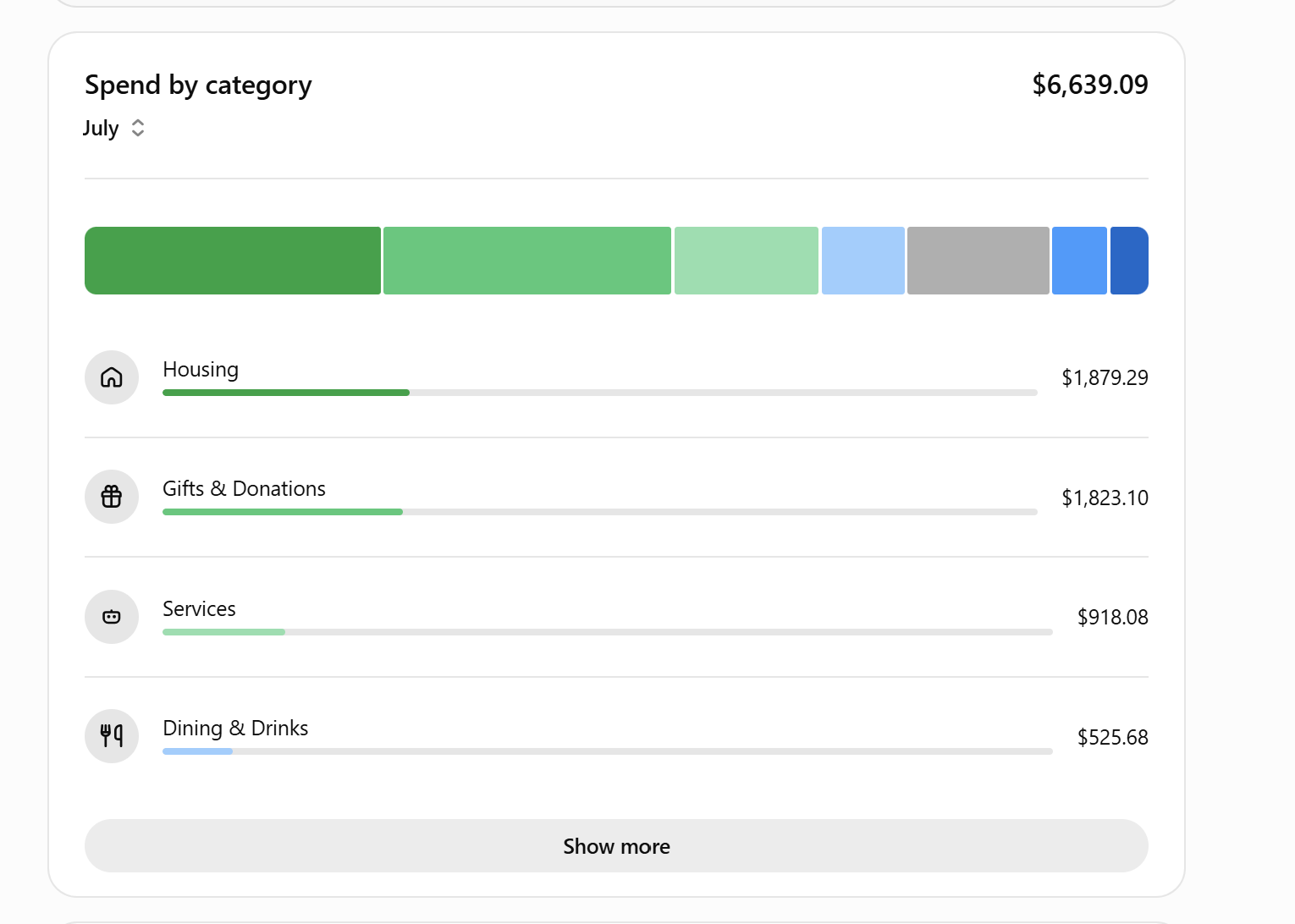
Most people use ChatGPT for writing help or quick answers. Very few realize you can now connect it to your bank accounts, credit cards, and brokerage — and instantly turn it into a personal financial analyst that actually knows your numbers.
Inside ChatGPT, open the connectors panel and link accounts through providers like Plaid, or use one of the finance assistants in the GPT Store (Microsoft's Copilot for finances works the same way). Once your accounts are connected, every question you ask is grounded in your real transactions — not generic advice.
Start with the simple stuff (this alone is worth it)
Before you even think about "AI financial advisor," the everyday wins are what will hook you:
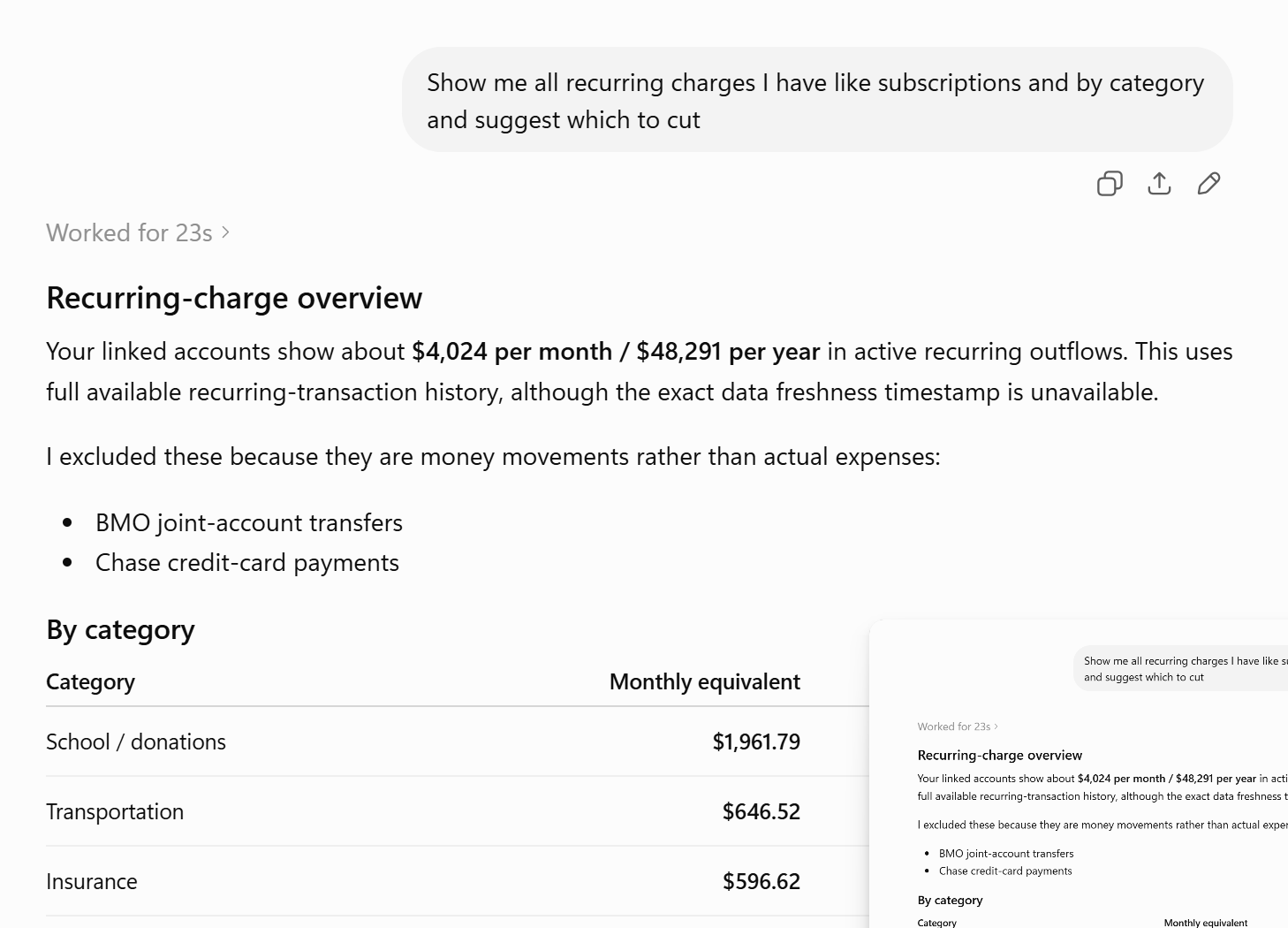
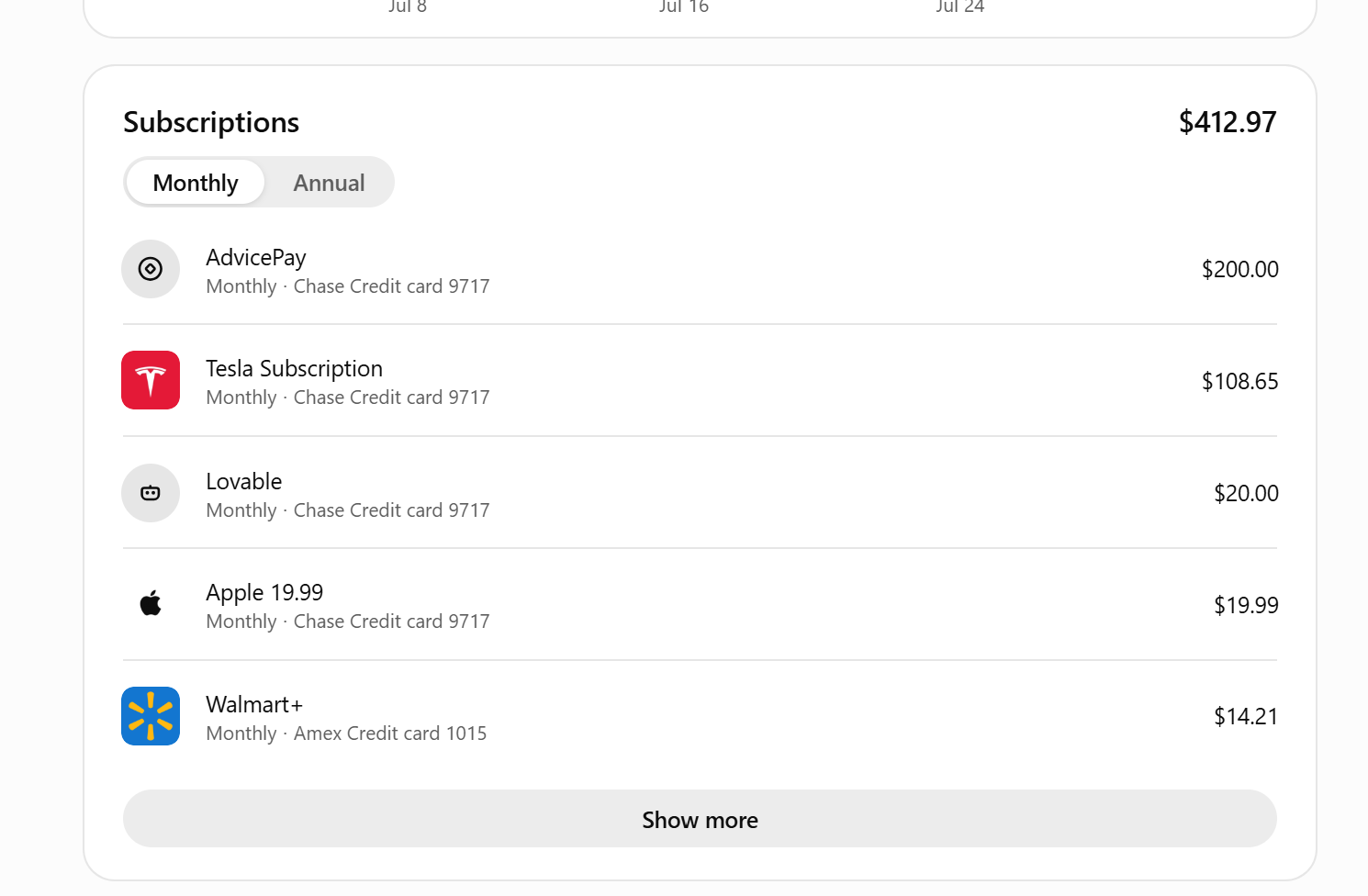
- See every recurring subscription in one place — Netflix, that gym you forgot about, the $19.99 Apple charge — with totals for the month and the year.
- Spending by category, automatically. Housing, groceries, dining, gifts, services — no spreadsheet required.
- Ask any question in plain English. "How much did I spend on restaurants this year?" "What did I pay Amazon in Q2?" "Which category grew the most vs. last month?" You get an answer in seconds.
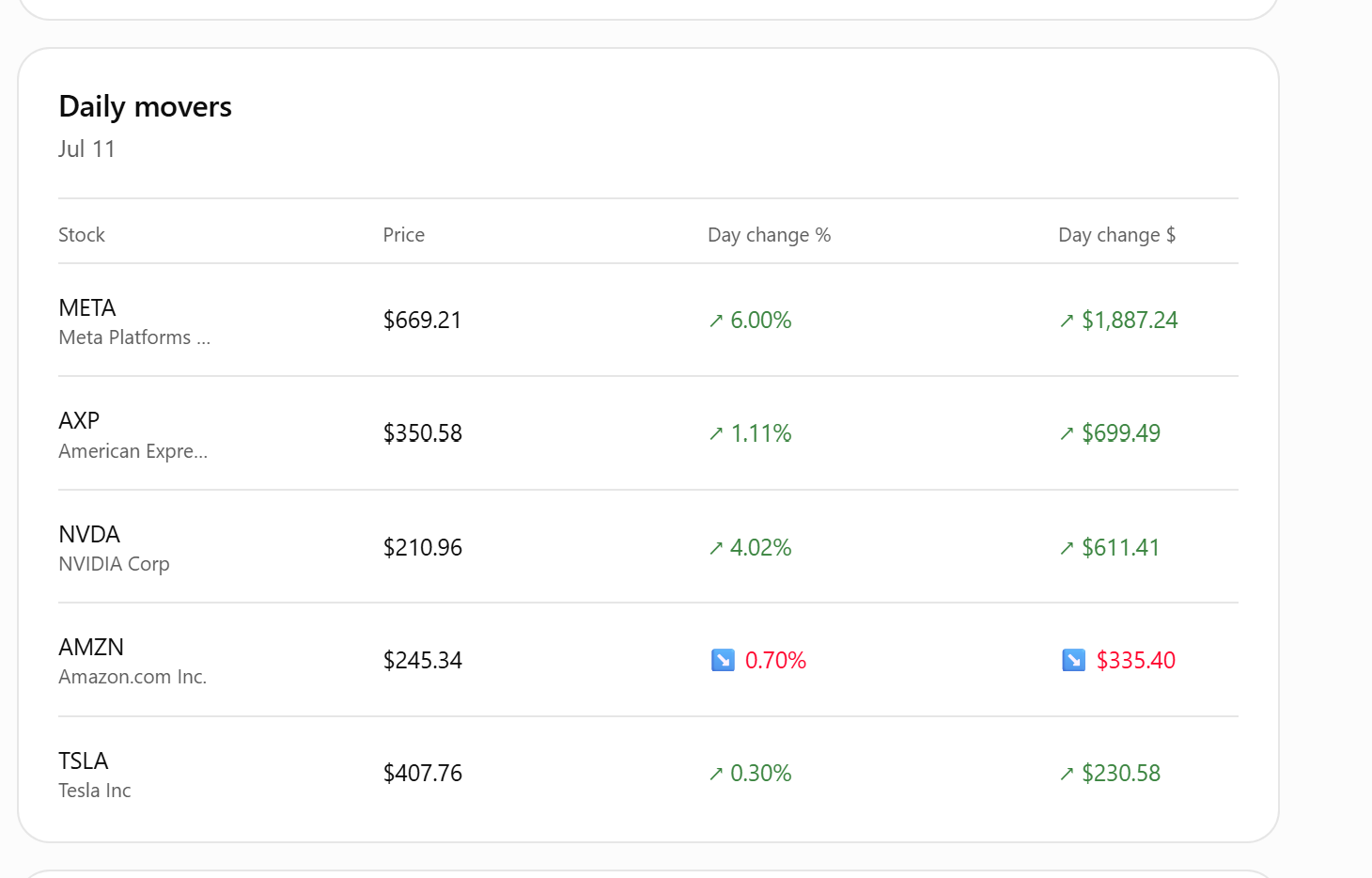
- Your investments too. Daily movers, allocation by sector, dividends received, realized gains — all pulled from your connected brokerage.
Then go a level deeper: subscriptions and daily movers
Ask for a list of every subscription and it will separate monthly from annual, show which card each hits, and total them up. Ask about your portfolio and you can pull up today's biggest movers with day change in dollars and percent — same rigor a real analyst would use, in a chat window.
Where it gets really interesting: coaching and advice
Once ChatGPT can see the whole picture, you can use it the way you might use a fee-only planner — for thinking, not just accounting:
- Personal financial analyst. "Walk me through my cash flow last month and flag anything unusual."
- Financial mentor. "Given my income, spending, and savings rate, what should I focus on for the next 90 days?"
- Investment advisor. "Here's my current allocation — where am I overexposed, and what would a more diversified mix look like for my age and risk tolerance?"
- Debt strategist. "Given these balances and rates, what's the fastest payoff order?"
- Tax prep helper. "Pull every deductible expense from my business account this year and group them by category."
Automate your financial reviews
The last unlock is tasks — scheduled prompts that run on their own. Set one up like:
- Every Monday: "Summarize last week's spending vs. my average, and flag any charges over $200."
- First of the month: "Give me a full monthly financial review — income, spending by category, savings rate, investment performance, and three things to consider this month."
- Every quarter: "Rebalance check — how has my allocation drifted, and what would bring it back to target?"
You wake up to a real financial briefing in your inbox — the kind of thing that used to require a paid advisor and a lot of back-and-forth.
A note on privacy and trust
Connectors like Plaid use read-only access — ChatGPT can see transactions but can't move money. Still, treat it like any other financial tool: use a strong password, turn on two-factor auth, and disconnect any account you're done using. And for the big decisions — a mortgage, a rollover, an estate plan — use it to prepare the conversation with a real professional, not to replace them.
Used this way, ChatGPT stops being "that thing that writes emails" and starts being the most useful financial tool in your life — always on, always current, always yours.
Want help putting this to work?
A free conversation is the easiest way to figure out what would actually move the needle for you.
Get in touchKeep reading
- Small BusinessHow to build a useful business dashboard with Claude—and check its numbers
- IndividualsHow to build an interview practice routine with ChatGPT Voice
- Small BusinessHow to set up an AI blog publishing system with ChatGPT Work and Lovable
- IndividualsMeta Muse is an AI that can actually do things for you: 5 practical ways to use it
- Small BusinessJev is an AI that makes decisions instead of chatting: 5 small-business uses
- IndividualsUse AI to build confidence: learn anything at your level, in your own time
- Small BusinessChatGPT vs. ChatGPT Work: what's actually different, and when to use each
- StudentsNotebookLM for students: turn your notes into a podcast you can study to anywhere
- IndividualsCustom GPTs for real life: your own gardening, parenting, and tax expert in ChatGPT
- Small BusinessStop renting software: build your own business apps with Lovable, Replit, and Base44
- IndividualsPro headshots without a photographer: how to generate your own with AI
- Small BusinessStop buying stock photos: generate your brand's images with Copilot, ChatGPT, and friends